
DESIGN SYSTEMS
As digital products grow, inconsistent interfaces and duplicated components create inefficiencies. We build practical design systems that improve consistency, streamline collaboration and help teams deliver better digital experiences faster.
As products, websites and platforms expand, design inconsistency becomes expensive. Teams recreate the same components, developers make one-off decisions and users experience unnecessary friction across different areas of the product. Common signs you need a design system include:
- Inconsistent buttons, forms, layouts or interaction patterns across your product
- Design and development teams repeatedly rebuilding similar components
- Slow delivery caused by unclear rules, duplicated effort and avoidable design decisions
What Is a Design System?
A design system is a structured collection of reusable UI components, design patterns, visual rules and documentation that guides how a digital product should look, behave and scale. It gives teams a shared source of truth for creating consistent interfaces.
A strong design system can include components, typography, colour palettes, spacing rules, accessibility guidance, design tokens, interaction states and developer-ready specifications. The goal is simple: make product design and development faster, more consistent and easier to maintain over time.
Design System Strategy and Foundations
Effective design systems begin with clear product goals, team workflows and a practical understanding of where inconsistency is slowing delivery. We review your existing interface, component usage and design process to define the right level of system for your business.
From there, we establish the foundations: typography, colour, spacing, layout rules, accessibility principles and component logic. This creates a shared framework that supports better design decisions and gives developers clearer guidance during implementation.
Reusable Components and Documentation
We create reusable interface components that can be applied consistently across websites, platforms, dashboards and digital products. Each component is designed with states, variants, responsive behaviour and practical usage guidance.
Clear documentation helps teams understand when and how to use each pattern. This reduces duplicated effort, improves handover between design and development and gives future product work a stronger foundation to build on.
What’s Included in our Design System Services?
Design System Audit
A review of your existing interface, component usage, brand application and design workflow to identify inconsistencies, duplication and opportunities for improvement.
Design Foundations
Typography, colour, spacing, grid systems, layout rules and accessibility principles that create the visual and structural foundation for your product interface.
Component Library
Reusable UI components for buttons, forms, cards, navigation, tables, modals and other recurring interface patterns, designed with states and variants.
Design Tokens
Structured design tokens for colour, spacing, typography and other reusable values that help maintain consistency between design and development.
Usage Guidelines
Clear documentation explaining how and when to use components, patterns and layouts so teams can apply the system consistently across future work.
Developer Handover
Organised Figma files, component specifications, interaction notes and implementation guidance to help development teams build accurately and efficiently.
70
%
of digital teams report that design systems improve consistency, speed and collaboration across product work.
$
34
Every dollar invested in UX research and prototyping returns up to $34 in reduced development costs and improved product performance.
2
%
Up to 2% of engineering time is wasted on rework caused by UX issues that could have been identified and resolved during the design and prototyping phase.
Our 6-Step Design System Process
We will outline the full process in our proposal to you, but in short, we will:
The Value of a Professional Design System
A professional design system gives teams a reusable foundation for building and improving digital products. Instead of recreating decisions from scratch, designers and developers can work from shared rules, components and documented patterns.
Benefits often include:
- Greater interface consistency across your website, platform or product
- Faster design and development through reusable components
- Reduced rework caused by unclear specifications or one-off design decisions
- Improved collaboration between design, development and stakeholder teams
- Stronger accessibility and usability through documented patterns and standards
- A scalable product foundation that supports future features and growth
Recent design system and product interface examples

Kaya Onboarding App MVP
Kaya Onboarding App MVP
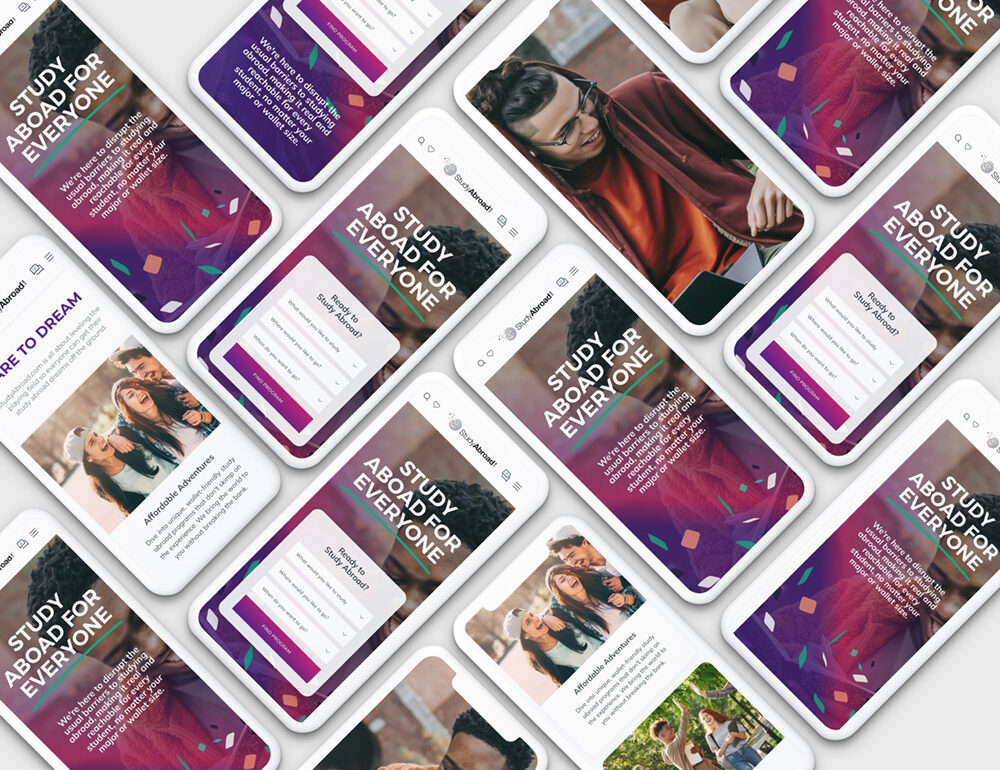
StudyAbroad.com
StudyAbroad.com
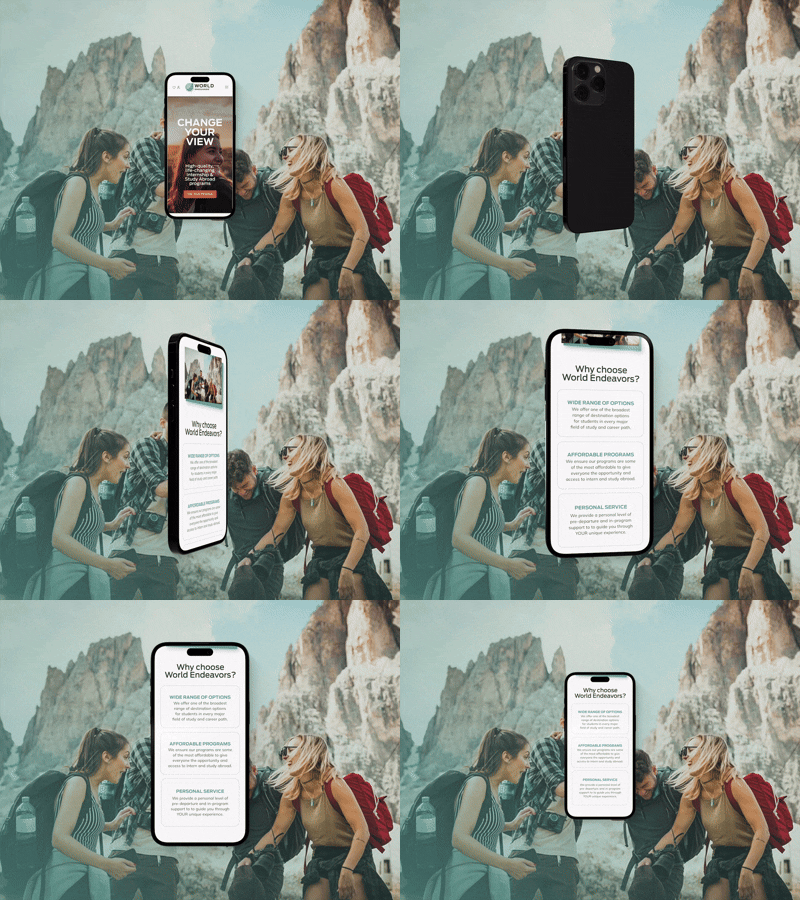
World Endeavors
World Endeavors

Helixr
Helixr
Design systems for product-led and digital businesses
We create design systems for SaaS platforms, digital products, websites, internal tools and growing businesses that need more consistent, scalable and efficient product interfaces.
Read more about our branding services for business consultancies
Business Consultancies
Strategic brand identities that help consultancy firms clarify their positioning, communicate expertise, and build authority with high-value clients.
Read more about our branding services for SaaS and technology companies
SaaS & Technology
Brand strategy and identity systems that help technology companies simplify complex offerings, strengthen market positioning, and build confidence with users and investors.
Read more about our branding services for education and study abroad organizations
Education & Study Abroad
Distinctive branding for education providers, international programs, and training organizations that need to build trust, improve recognition, and inspire action.
Read more about our branding services for financial services companies
Financial Services
Credibility-focused brand identities for financial firms that need to communicate stability, expertise, and trust in a highly competitive marketplace.
Read more about our branding services for professional services companies
Professional Services
Refined brand systems for legal, advisory, HR, and specialist service businesses that want to modernize their image and build stronger client confidence.
Read more about our branding services for travel and tourism companies
Travel & Tourism
Experience-led branding for travel, tourism, and hospitality businesses that need to inspire trust, emotion, and memorable customer connections.
Other UX/UI and Digital Product services
LET'S DISCUSS YOUR PROJECT
Ready to improve your credibility, generate more enquiries, and create a website that grows with your business? Book a free 15 minute consultation and let’s discuss your goals.
Frequently asked questions (FAQs)
What is a design system?
A design system is a structured collection of reusable UI components, design rules, patterns and documentation that helps teams create consistent digital products. It usually includes typography, colours, spacing, components, design tokens, accessibility guidance and usage rules.
Why does a digital product need a design system?
A design system helps reduce inconsistency, duplication and rework as a product grows. It gives designers, developers and stakeholders a shared source of truth, making future product updates faster, more consistent and easier to manage.
What is included in a design system?
A design system can include brand foundations, typography, colour palettes, spacing rules, grids, design tokens, reusable UI components, interaction states, accessibility guidance, documentation and developer handover notes.
Do you create design systems in Figma?
Yes. We create design systems and component libraries in Figma, including reusable components, variants, states, responsive behaviours and documentation that can support both design and development workflows.
Can you improve an existing design system?
Yes. We can audit, clean up, reorganise or extend an existing design system. This may include improving component structure, documentation, naming conventions, accessibility, consistency and developer handover.
What are design tokens?
Design tokens are reusable values such as colours, spacing, typography sizes, border radii and shadows. They help keep design decisions consistent and can support better alignment between design files and front-end development.
How does a design system help developers?
A design system gives developers clearer specifications, reusable components, documented states and consistent rules. This reduces guesswork, speeds up implementation and helps ensure the final product matches the approved design.
Is a design system only useful for large companies?
No. Smaller teams can also benefit from a simple, practical design system. The key is creating a system that matches the size and complexity of the product rather than overbuilding unnecessary documentation.
How long does a design system project take?
Timelines depend on the size of the product and the depth of the system required. A focused design system foundation may take four to eight weeks, while larger systems covering multiple products or platforms can take longer.
Can a design system improve user experience?
Yes. Consistent components, patterns and interaction rules make digital products easier to understand and use. A strong design system can improve usability, accessibility and trust by making the experience feel more predictable and coherent.
Our latest design systems and digital product insights
Explore our latest thinking on design systems, UI consistency, product scalability, UX/UI design and the practical systems that help digital products grow with less friction. View full blog